

Before you start
- A webhook on version 2 - see Create a webhook. Version 1 webhooks carry only the legacy signature - see Verify the legacy signature.
- Your handler can read the request body as raw bytes, before any JSON parsing.
Steps
1
Copy your signing secret
On the Webhooks page, find the Security signature card. Click the eye icon to reveal the secret, then copy it.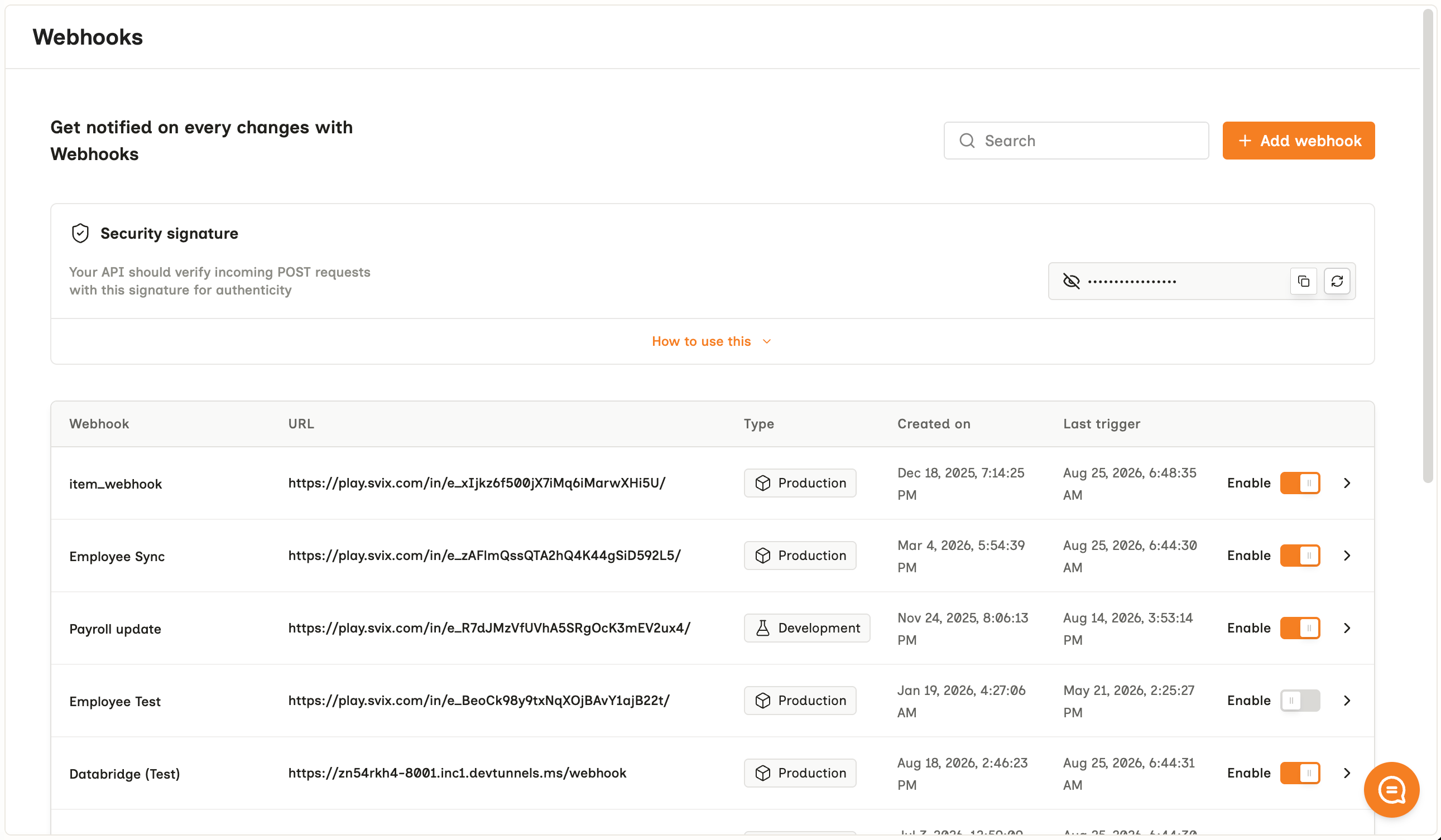
BINDBEE_WEBHOOK_SECRET. One secret signs every webhook in your organization, on both versions.2
Read the raw body and the signature headers
Every version 2 request carries three headers:
Capture the body exactly as it arrived. The signature covers those bytes, and parsing then re-serializing the JSON changes them.
3
Verify the signature
Use the
standardwebhooks library for your language. It checks the signature and rejects a timestamp more than five minutes from your server’s clock.The libraries expect the secret in whsec_ form. Build it by prefixing whsec_ to the base64 encoding of your secret, as the Node sample does. The Python library also accepts the secret’s raw bytes directly.4
Deduplicate on the event ID
A retried delivery carries the same
webhook-id and the same id in the body. Record each ID you process, and skip one you’ve already seen - see Delivery and retries.Verify without a library
Sign{webhook-id}.{webhook-timestamp}.{body} with HMAC-SHA256, keyed with the secret’s UTF-8 bytes, and compare the standard base64 result with each v1, entry in webhook-signature.
Verify the legacy signature
Every delivery on both versions also carriesX-BINDBEE-WEBHOOK-SIGNATURE: an HMAC-SHA256 of the raw body alone, keyed with the same secret, encoded as URL-safe base64 with its = padding. Version 1 webhooks carry only this one.
It has no timestamp, so a captured request verifies indefinitely. Switch to webhook-signature once your webhook is on version 2.
Rotate the secret
To replace a secret that has leaked, click the refresh icon on the Security signature card, tick I understand, will update the code base, and click Regenerate it.Frequently Asked Questions
Every request fails verification
Every request fails verification
Check the body first. A framework that parses JSON before your handler runs hands you a re-serialized body, and its bytes no longer match. Read the raw body:
request.get_data() in Flask, express.raw() in Express, request.raw_post in Rails.Then check the secret. The Node library needs the whsec_ form, and pasting the secret as it appears in the dashboard makes every signature fail.Verification fails with a timestamp error
Verification fails with a timestamp error
Your server’s clock is more than five minutes from real time. Sync it with
NTP. Retries resend the original timestamp, and all four attempts finish
within about a minute, so a correct clock never rejects a retry.
Verification broke for every webhook at once
Verification broke for every webhook at once
Someone regenerated the secret. Copy the new one from the Security
signature card and deploy it.
The legacy signature matches in Python but not in Node
The legacy signature matches in Python but not in Node
digest("base64url") strips the trailing =. Build the URL-safe string from standard base64, as the sample above does.Related
- Webhook payload - every header and body field
- Delivery and retries - what to return once a request verifies
- Migrate from version 1 - moving off the legacy signature
- Standard Webhooks - the specification and its libraries for other languages