

Configure scoping
In the dashboard, open Scoping, pick the category, and switch on the models you need. Each model expands so you can keep or drop individual fields, and Enable All turns on everything in a category at once.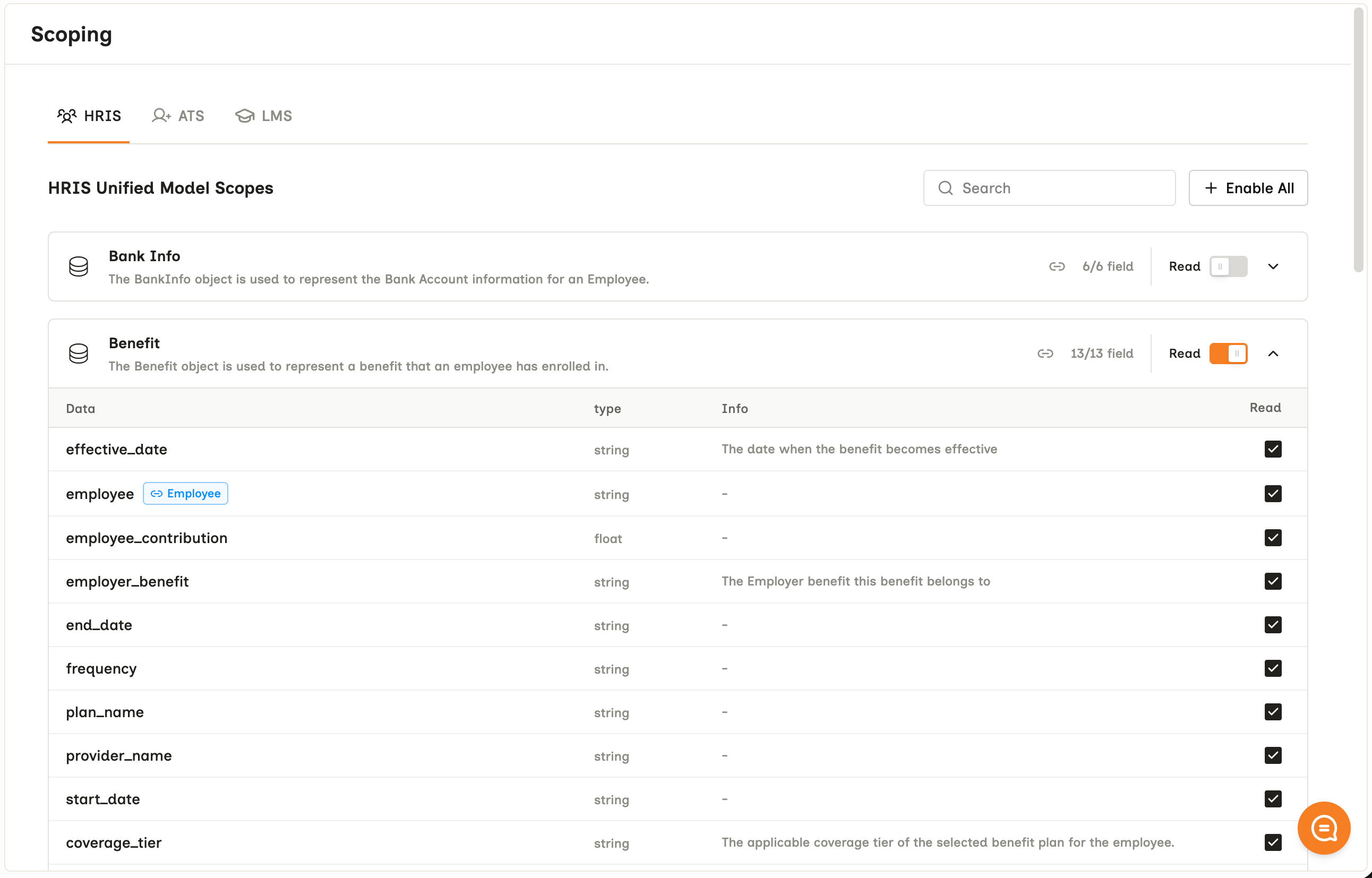
Each model is switched on or off and expands to keep or drop individual fields.
Scoping applies across all connectors, integrations and environments. There is no per-connector override.
What your customer sees
Scope is not only an internal setting. It becomes the consent screen your customer’s admin reads and approves when they authorize the connection, model by model, and each model expands to the individual fields you kept.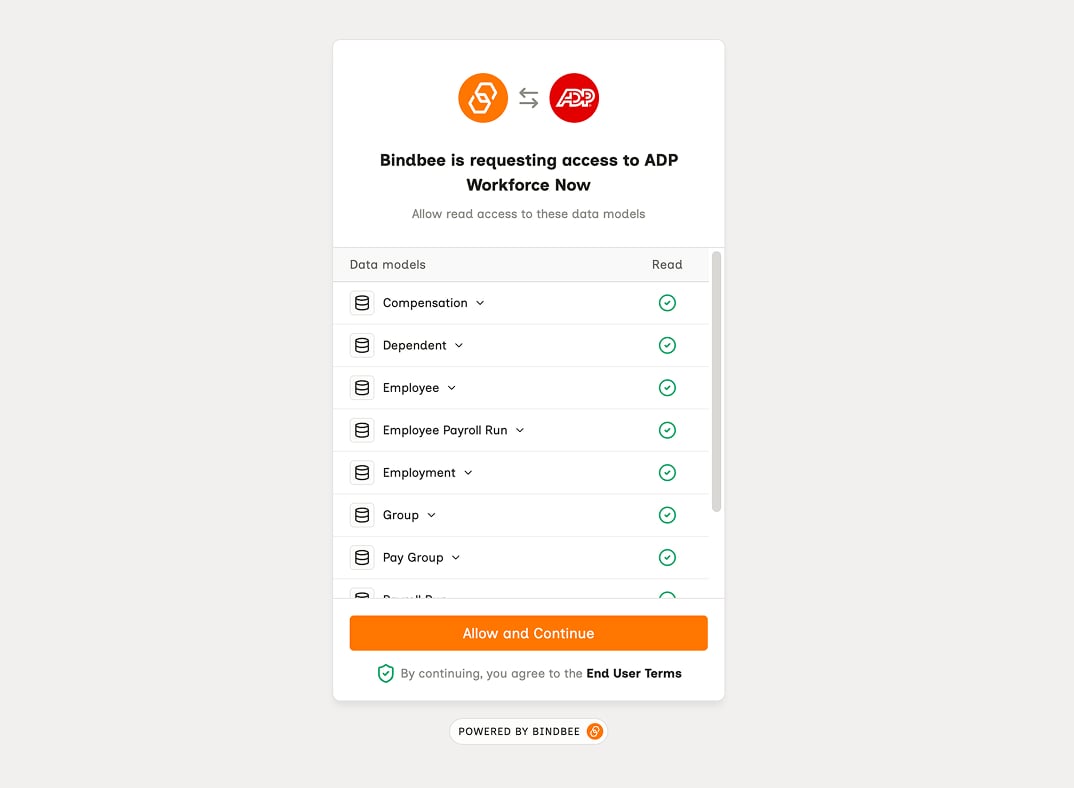
The consent screen your customer approves. Company is expanded to the fields scoping kept.
How to double check permission failures
Permission failures are silent. The source system leaves the data out instead of erroring, so a missing permission and an empty field look the same. One request withinclude_raw_data=true tells them apart.
The connector’s logs carry the failing request and response - see Origin-system errors.
Related
- Core concepts - where scope sits among the levels
- Model availability - which models an integration returns at all
- Missing records - the full procedure when one record never arrived
- Raw Data - reaching a value the unified model drops