

Prerequisites
- A Bindbee account. Access is provisioned during onboarding. If you don’t have access, email Bindbee Support.
- Your Development API key from Bindbee Dashboard.
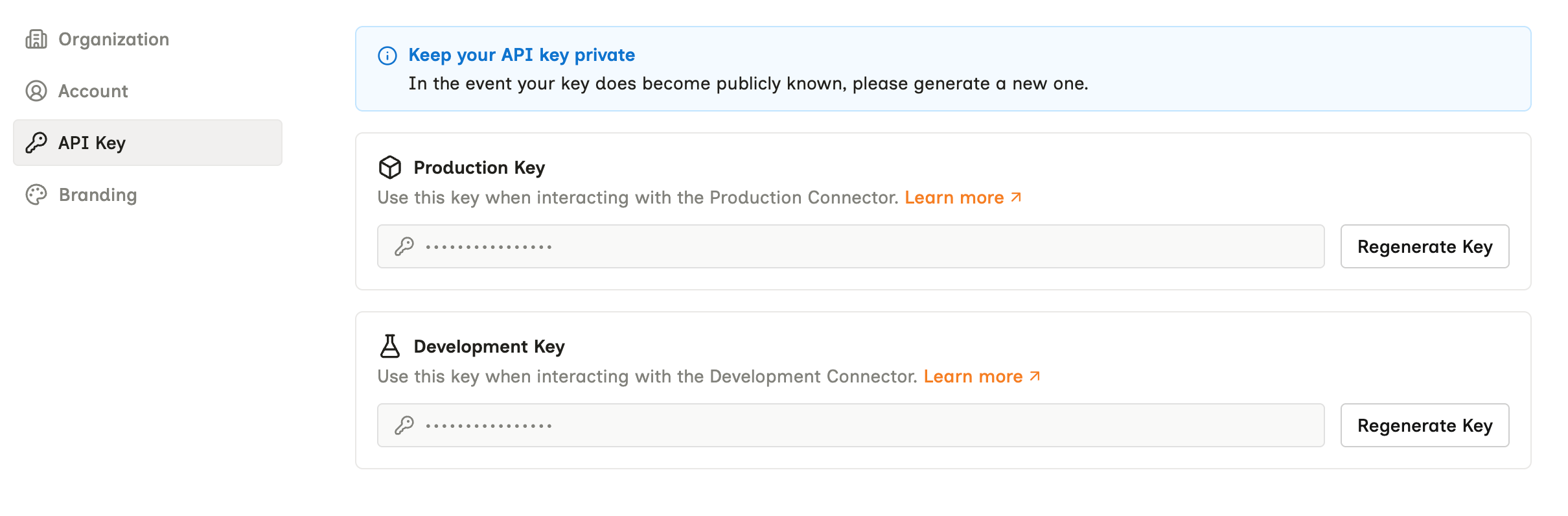
Settings → API Key. Production and Development are separate keys, and neither works against the other's connectors.
Steps
Open the Development tab

Connectors → Development. The notice here is about recurring syncs - the first one still runs on its own.
Create a test connector
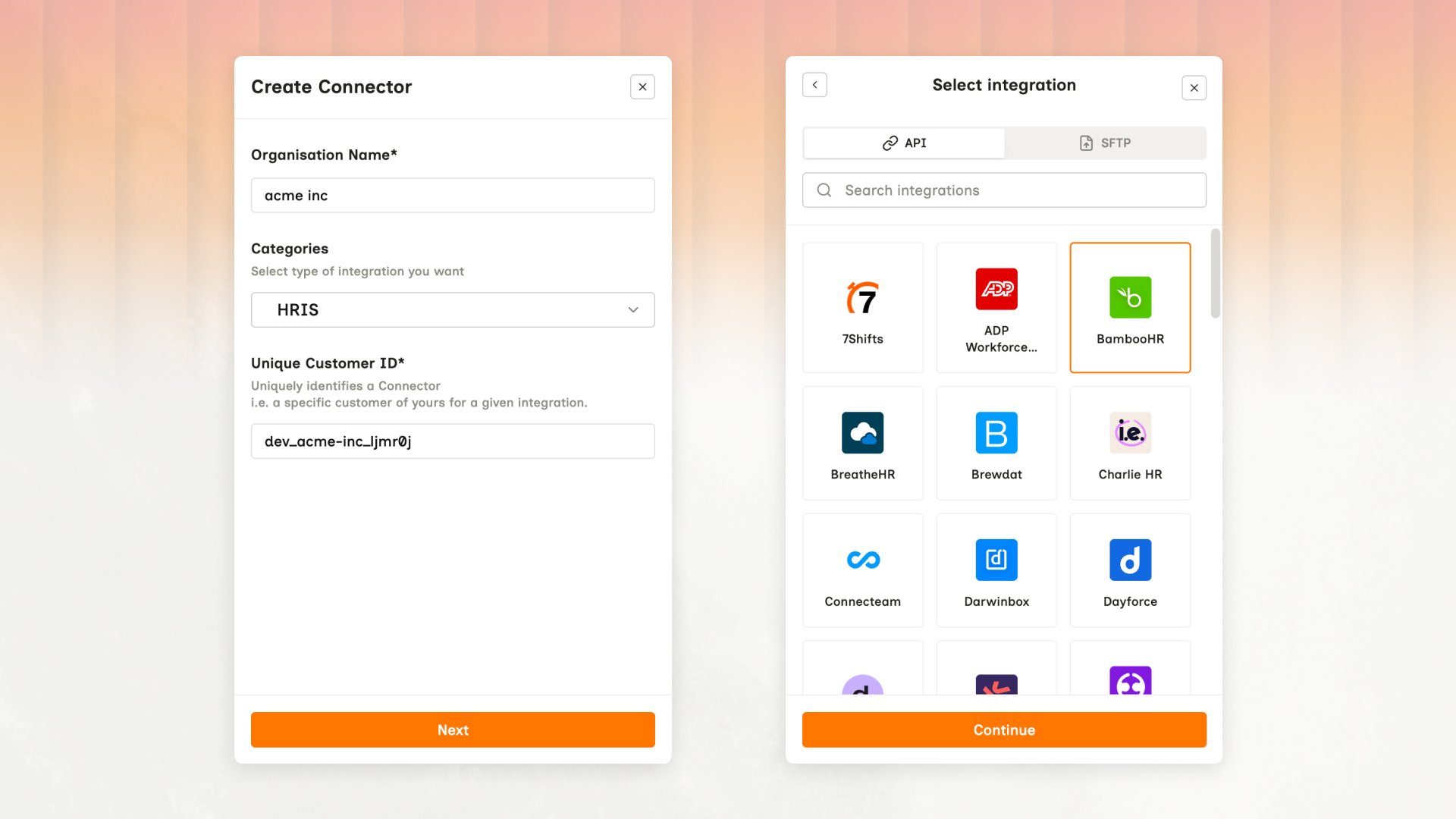
Create Connector → Select integration. The Unique Customer ID is the origin_id you'll use to match this connector back to your own customer record.
Authorize the connection
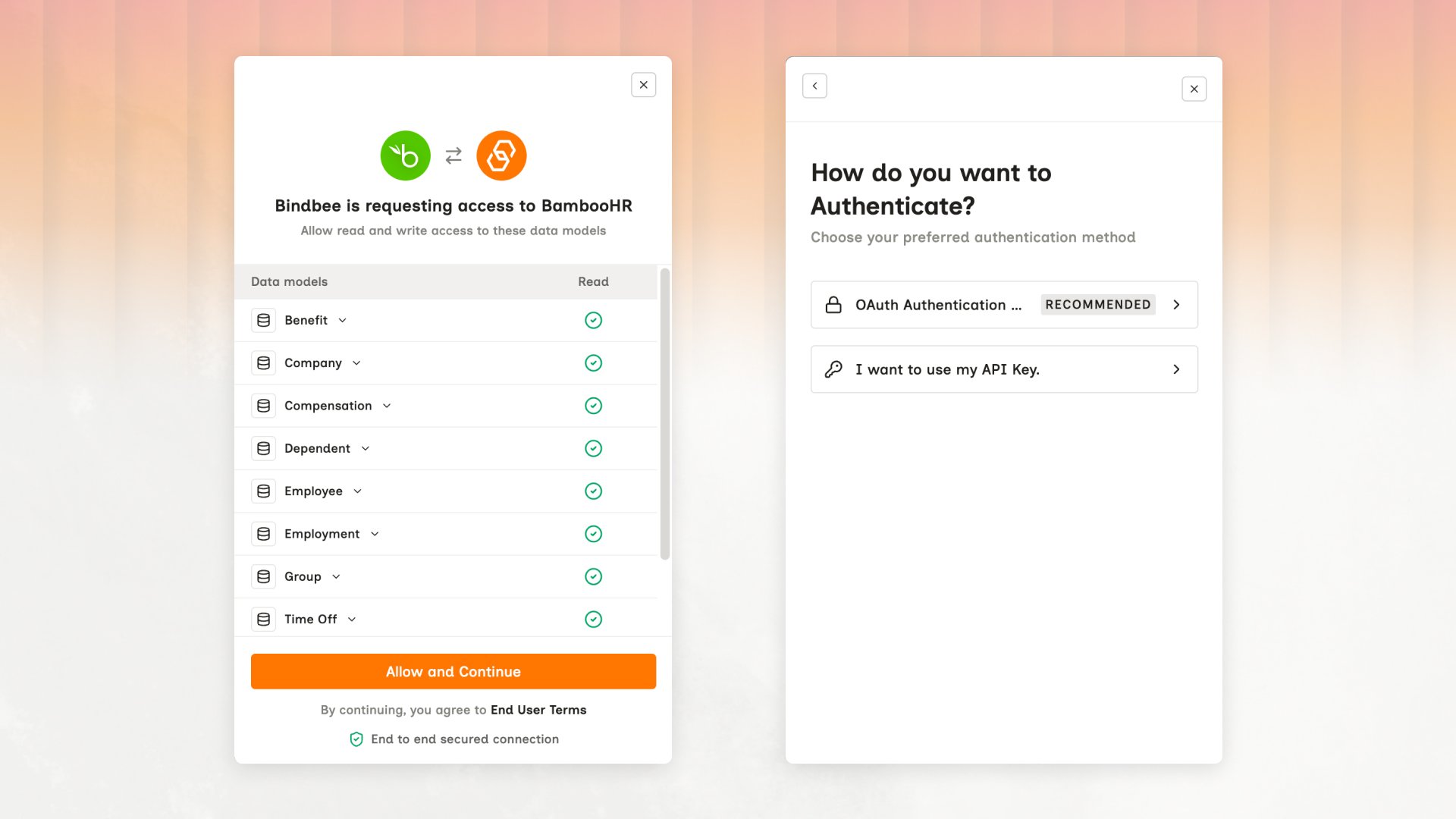
The authorization screens your customer sees. Access is granted per data model, and which methods are offered depends on the integration.
Need a third-party account?
Need a third-party account?
Copy the connector token
connector_token from the Overview tab.Result: You have the token that tells Bindbee whose data to return.Wait for the first sync
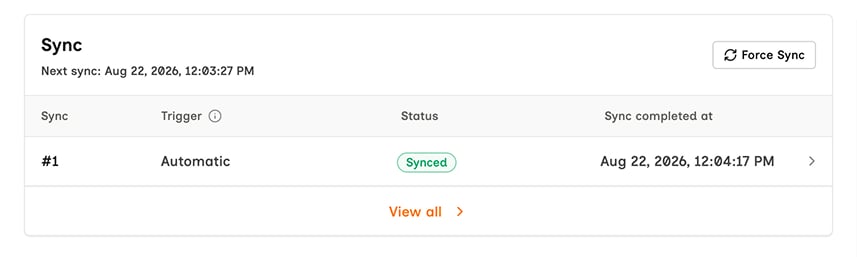
The connector's Sync panel. Wait for Status to read Synced before calling the API; Force Sync triggers the next run.
Make your first API call
GET request to the Employees endpoint:200 carrying employees, normalized out of that system.What just happened
- You created a connector - one authorized connection to one source system.
- You synced it, pulling that system’s data into Bindbee.
- You called the Unified API with your API key and the connector token, and got normalized data.