> ## Documentation Index
> Fetch the complete documentation index at: https://docs.bindbee.dev/llms.txt
> Use this file to discover all available pages before exploring further.
# Logs
> Trace which API Bindbee called and what came back.
Every request between Bindbee and a source system is recorded here. Come to this page once [sync status](/guides/troubleshooting/sync-status) and the [error's source](/guides/troubleshooting/errors) have left the question open.
A model reported **Skipped** or **Not Supported** was never requested, so the logs hold no
entry for it. [Sync status](/guides/troubleshooting/sync-status) settles both.
## Where to find them
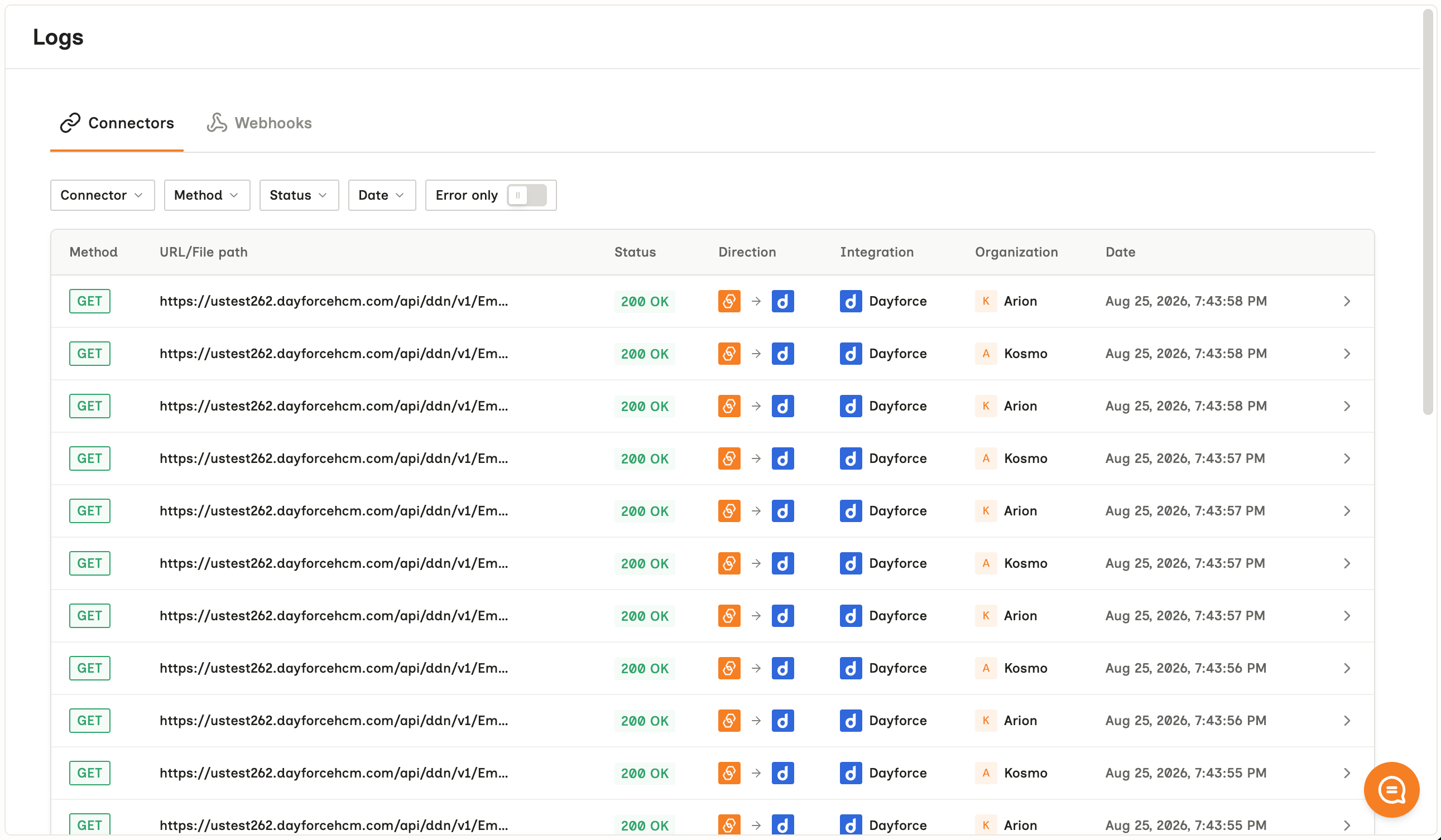
Open **Logs** in the dashboard for the whole account, or open a single connector to scope it to that customer. Scoping to the connector is faster.
 ## What an entry holds
| Field | Holds |
| ------------------ | -------------------------------------------------------- |
| Direction | `READ` or `WRITE` |
| Connector | Which customer's connection the request belongs to |
| Endpoint | The path called, on Bindbee or on the source system |
| Status | The response code, and the error code where there is one |
| Request & response | The full bodies. Open an entry to expand them |
Read the upstream response body first. Bindbee keeps the source system's own answer
verbatim, and that body names the permission or field at fault - see
[Origin-system errors](/guides/troubleshooting/errors#origin-system-errors).
## Find an answer
| Question | Where to look |
| --------------------------------------------- | -------------------------------------------------------------------------------------------------- |
| Why is this connector not returning benefits? | `READ` entries for the benefits endpoint. A `403` means permissions. No entry means scope |
| Why did my write fail? | The `WRITE` entry, then the source system's response body |
| Why is a record I expected missing? | The `READ` entries for that model - see [Missing records](/guides/troubleshooting/missing-records) |
## Connector logs are dashboard-only
There is no API for them. Anything your own monitoring acts on has to come from sync webhooks or the connector's `status` and `sync_status` fields.
### Webhook delivery logs are separate
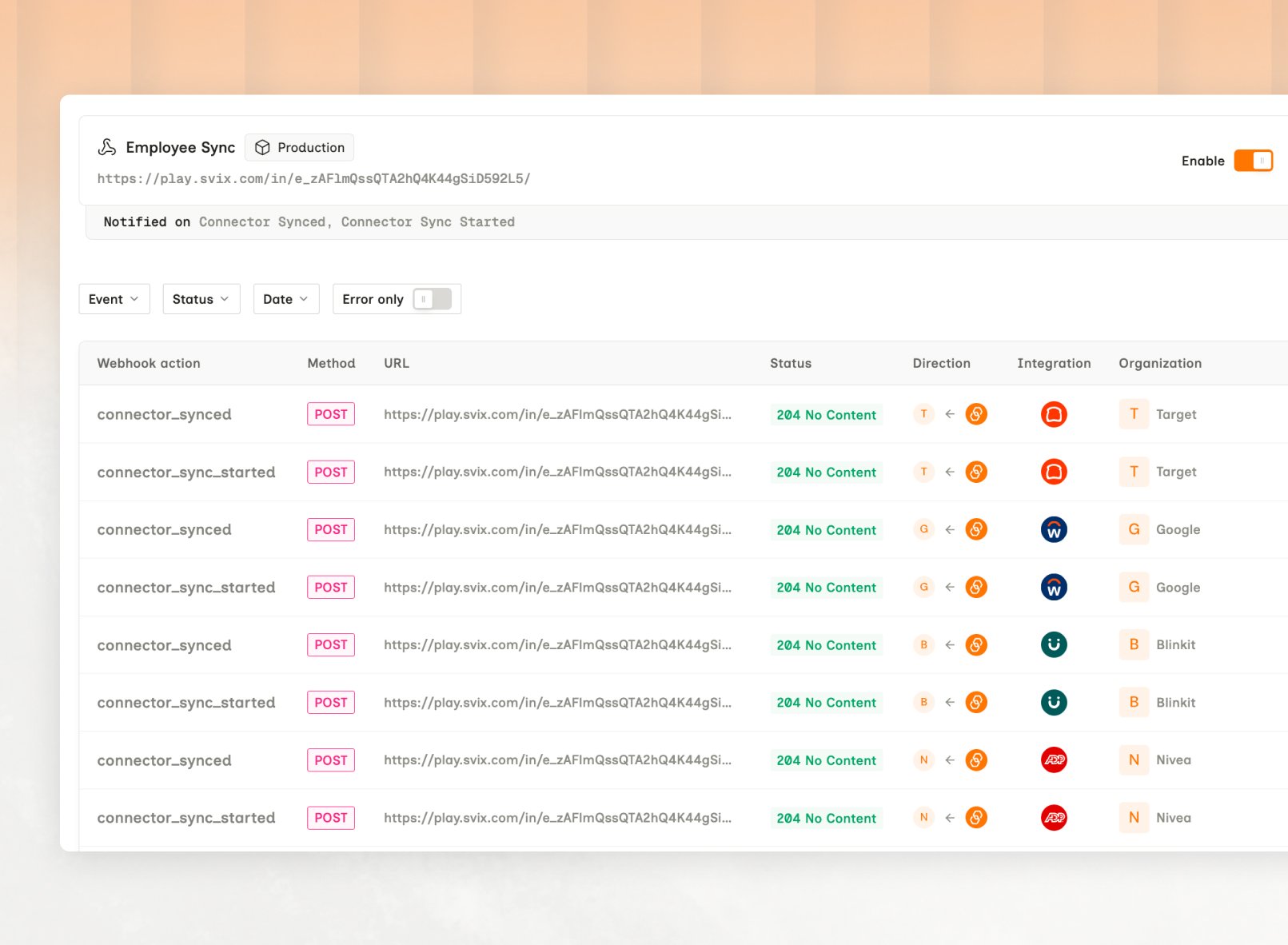
They record Bindbee's attempts to reach *your* endpoint, so they answer why your handler stayed quiet. Those do have an API: [List Webhook Logs](/api-reference/webhooks/list-webhook-logs), and the dashboard keeps them on the [Webhooks tab](https://app.bindbee.dev/logs/webhooks) under Logs.
## What an entry holds
| Field | Holds |
| ------------------ | -------------------------------------------------------- |
| Direction | `READ` or `WRITE` |
| Connector | Which customer's connection the request belongs to |
| Endpoint | The path called, on Bindbee or on the source system |
| Status | The response code, and the error code where there is one |
| Request & response | The full bodies. Open an entry to expand them |
Read the upstream response body first. Bindbee keeps the source system's own answer
verbatim, and that body names the permission or field at fault - see
[Origin-system errors](/guides/troubleshooting/errors#origin-system-errors).
## Find an answer
| Question | Where to look |
| --------------------------------------------- | -------------------------------------------------------------------------------------------------- |
| Why is this connector not returning benefits? | `READ` entries for the benefits endpoint. A `403` means permissions. No entry means scope |
| Why did my write fail? | The `WRITE` entry, then the source system's response body |
| Why is a record I expected missing? | The `READ` entries for that model - see [Missing records](/guides/troubleshooting/missing-records) |
## Connector logs are dashboard-only
There is no API for them. Anything your own monitoring acts on has to come from sync webhooks or the connector's `status` and `sync_status` fields.
### Webhook delivery logs are separate
They record Bindbee's attempts to reach *your* endpoint, so they answer why your handler stayed quiet. Those do have an API: [List Webhook Logs](/api-reference/webhooks/list-webhook-logs), and the dashboard keeps them on the [Webhooks tab](https://app.bindbee.dev/logs/webhooks) under Logs.
 ## Limits
* **An empty field.** A `200` with the field absent leaves no error to find. That's scope, permissions, or the unified model - see [Scoping](/get-started/scoping).
* **An upstream deletion.** A record disappearing produces no request, so no entry.
* **Retention.** The window is unpublished, so treat logs as a recent-debugging tool rather than an audit trail.
## Related
* [Troubleshooting overview](/guides/troubleshooting/overview) - where this page sits in the flow
* [Sync status](/guides/troubleshooting/sync-status) - the first check, and the one that resolves most cases
* [Errors](/guides/troubleshooting/errors) - differentiating a Bindbee failure from an origin-system one
## Limits
* **An empty field.** A `200` with the field absent leaves no error to find. That's scope, permissions, or the unified model - see [Scoping](/get-started/scoping).
* **An upstream deletion.** A record disappearing produces no request, so no entry.
* **Retention.** The window is unpublished, so treat logs as a recent-debugging tool rather than an audit trail.
## Related
* [Troubleshooting overview](/guides/troubleshooting/overview) - where this page sits in the flow
* [Sync status](/guides/troubleshooting/sync-status) - the first check, and the one that resolves most cases
* [Errors](/guides/troubleshooting/errors) - differentiating a Bindbee failure from an origin-system one