> ## Documentation Index
> Fetch the complete documentation index at: https://docs.bindbee.dev/llms.txt
> Use this file to discover all available pages before exploring further.
# Authentication
> Learn about the process of authenticating your requests to the Bindbee API.
## Overview
When initiating requests to the Bindbee API, it is essential to include the necessary authentication parameters to establish your identity as an authorized user.
There are two primary authentication protocols:
1. Bindbee API Key
2. Connector Tokens
Credentials obtained through these protocols must be incorporated into the
headers of each request sent to the Bindbee API.
## Bindbee API Key
For any communication with the Bindbee API, it is crucial to have an API key to authenticate yourself as an authorized user.
It is recommended to securely store your access key after its creation in
Bindbee
In case you no longer have access to your key, you have the option to regenerate you Bindbee API Key in [API Key](https://app.bindbee.dev/settings/keys) Tab in Settings.
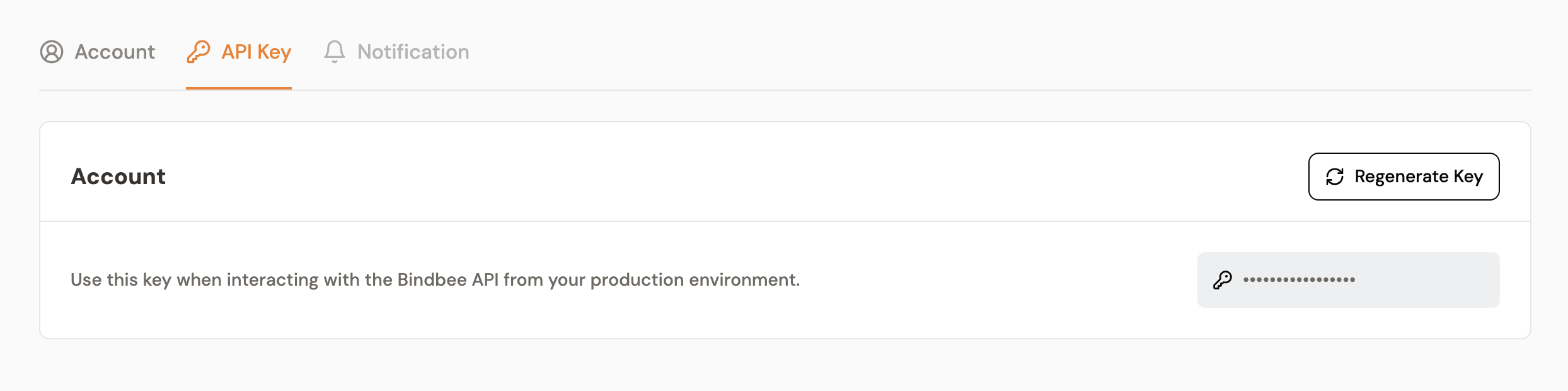 When creating your own requests, it is essential to include your API key with a **"Bearer "** prefix as a header named `Authorization`. This practice is crucial for authorizing your Bindbee API requests effectively. Ensure that this specific header is incorporated in every request, adhering to the following format:
`Authorization: Bearer YOUR_BINDBEE_API_KEY`
## Connector Tokens
When issuing requests to the Bindbee API concerning your end users' data, access or manipulation, authorization is granted only if the users have undergone the [Bindbee's Magic Link](/features/magic-link) process and successfully stored their `connector_token`, as this token is a prerequisite for the successful execution of such requests.
You can find your `connector_token` inside the **Overview** section of your
connector
When creating your own requests, it is essential to include your API key with a **"Bearer "** prefix as a header named `Authorization`. This practice is crucial for authorizing your Bindbee API requests effectively. Ensure that this specific header is incorporated in every request, adhering to the following format:
`Authorization: Bearer YOUR_BINDBEE_API_KEY`
## Connector Tokens
When issuing requests to the Bindbee API concerning your end users' data, access or manipulation, authorization is granted only if the users have undergone the [Bindbee's Magic Link](/features/magic-link) process and successfully stored their `connector_token`, as this token is a prerequisite for the successful execution of such requests.
You can find your `connector_token` inside the **Overview** section of your
connector
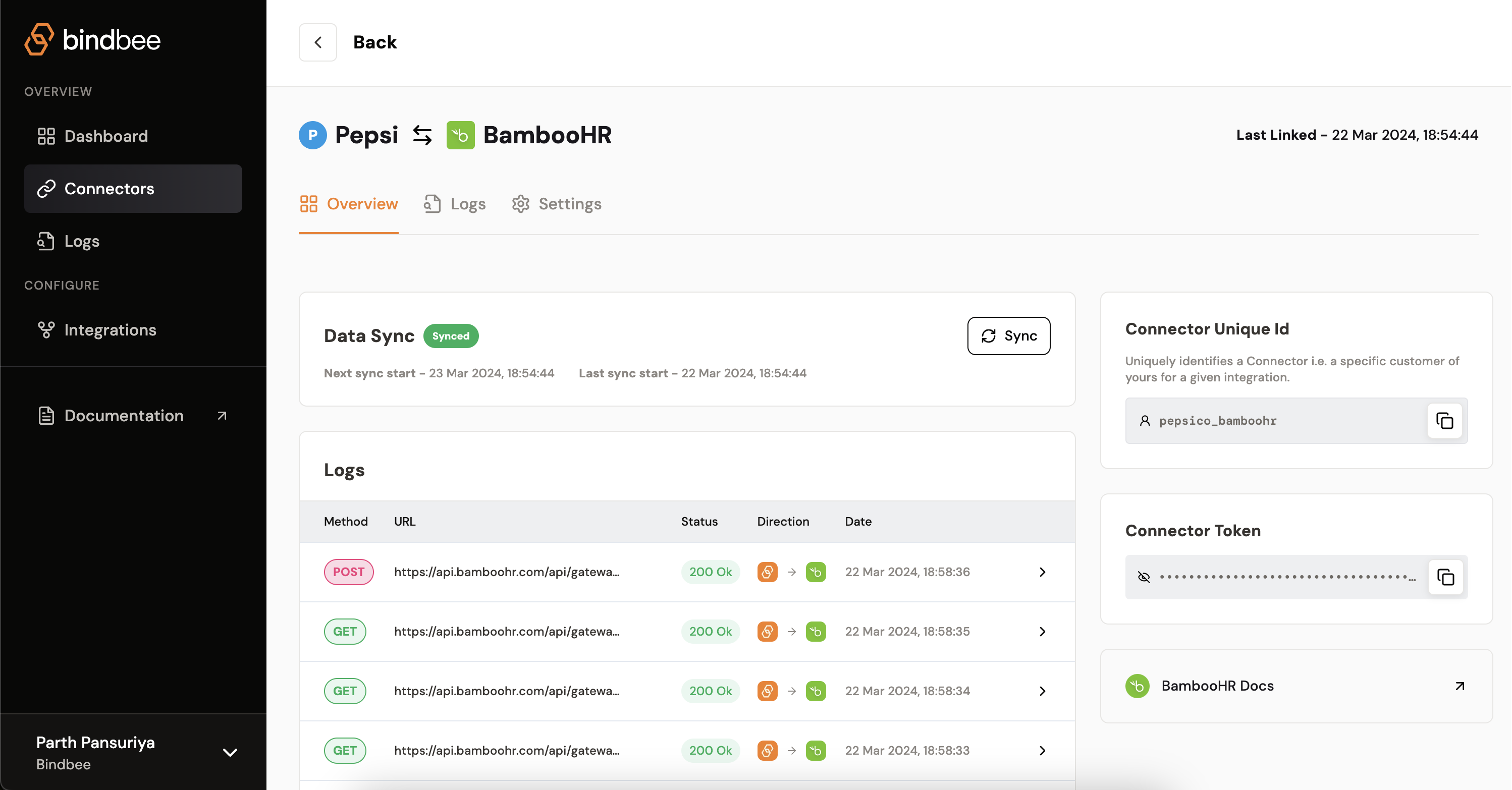 When creating your own requests, it is essential to include your your user's `connector_token` as a header named `X-Connector-Token` for authorizing your Bindbee API requests effectively. Ensure that this specific header is incorporated in every request, adhering to the following format:
`X-Connector-Token: END_USER_CONNECTOR_TOKEN`
When creating your own requests, it is essential to include your your user's `connector_token` as a header named `X-Connector-Token` for authorizing your Bindbee API requests effectively. Ensure that this specific header is incorporated in every request, adhering to the following format:
`X-Connector-Token: END_USER_CONNECTOR_TOKEN`